Stripe Failed Payments: The Complete Map for Subscription Founders
Every Stripe failed payment follows the same path: decline code, retry, email, recovery or churn. The complete map, with links to deep dives on each stage.
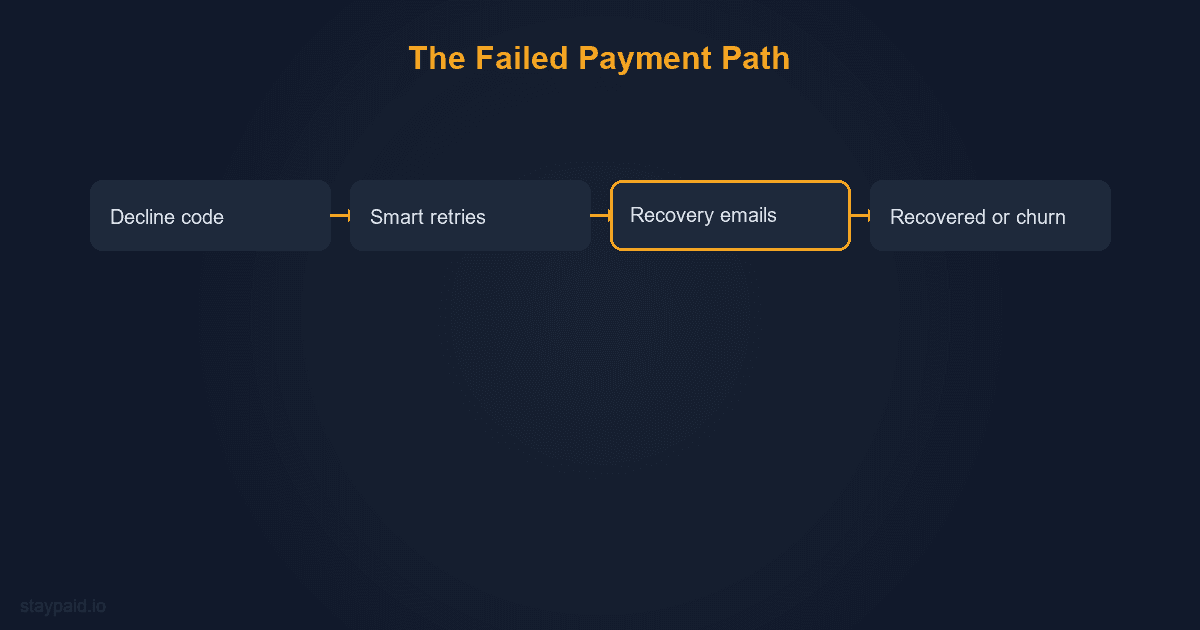
When a Stripe subscription payment fails, the same sequence plays out every time: the bank returns a decline code, Stripe retries on a schedule, the customer gets (or does not get) an email, and the invoice either recovers or the subscription quietly dies. This post is the map of that whole path. Each stage has a deep-dive post linked where you need the details.
I built a dunning product, so I have watched more failed payments than most founders will in a lifetime. The pattern that surprises everyone at first: the majority of these customers never chose to leave. They are one expired card away from staying, and whether they stay is mostly a function of what you do in the 10 to 14 days after the failure. Get those two weeks right and the problem shrinks dramatically. Get them wrong, or ignore them, and the leak compounds quietly every single month.
Stage 1: The decline, and what the code tells you
Every failure comes back with a decline code, and the code is your first decision input. Codes split into two families. Soft declines are temporary: insufficient_funds, withdrawal_count_limit_exceeded, try_again_later. These cards are alive; the balance or timing was wrong, and a retry on a different day often succeeds. Hard declines are dead ends: lost_card, stolen_card, expired_card in some configurations. No retry revives them; only a new card from the customer does.
The full classification, with the ten codes that make up most subscription failures and the right response to each, is in the soft vs hard decline codes post. If you only internalize one thing: retry soft declines, email for hard declines, and never burn retries on a dead card, because banks notice and it hurts your acceptance rate on everything else.
Stage 2: What Stripe does by default
Out of the box, Stripe runs Smart Retries: it picks retry times using network-wide data about when similar declines succeed, and it retries within a window you configure in billing settings. You can also enable Stripe's own failed-payment emails. For a brand-new product this default stack is genuinely useful and costs nothing.
The limits show up as you grow. Stripe's retry schedule is generic by design: it knows nothing about your customers' payday patterns or your specific decline mix. The default emails come from Stripe's address, look like receipts, and get ignored at the rates receipts get ignored. And hard declines never trigger a retry at all, which is correct behavior but means the entire dead-card category recovers only if your emails convince someone to update their card. The detailed comparison is in Stripe Smart Retries vs a dunning tool.
Stage 3: The webhook that starts everything
On the technical side, every failure fires the invoice.payment_failed event. This webhook is the trigger for any custom recovery logic: your own emails, in-app banners, support tickets, or a dunning tool listening in. If you build anything custom, this is where it starts. The full handler guide, including the idempotency traps that cause duplicate emails, is in the invoice.payment_failed webhook guide. And if your webhook endpoint starts rejecting events after a deploy, the signing secret post covers the five causes of that specific pain.
Stage 4: The emails, where most recovery actually happens
Retries handle the customers whose balance recovered on its own. Everyone else needs a human moment: an email that says the payment failed, why it matters, and gives a one-click way to fix the card. The details that move open and recovery rates are boring but real: send from a founder's address, not no-reply. Say the amount and the product name in the subject. Link directly to a card-update page, not a login wall. Send 3 to 4 emails over 10 to 14 days, each with a different tone, then stop.
The templates and timing data live in two posts: dunning email templates for the copy, and dunning sequence length for the schedule. If your current sequence is one automated Stripe email, that alone is likely your biggest recovery leak.
Stage 5: Recovery, write-off, or churn
After the retry window and the email sequence, every failed invoice reaches one of three ends. Recovered: the card was fixed or the retry landed. Written off: you stop chasing but keep the relationship, the right call for tiny amounts or annual plans mid-term. Churned: the subscription cancels. Knowing which end each invoice hit, in dollars, is the difference between guessing and managing. The benchmark post has the recovery-rate ladder so you can see where you sit: roughly 20 to 31 percent recovered with no dunning, about 47 percent median with basic tooling, 45 to 70 percent with a real sequence. And when an invoice truly is dead, the write-off post covers when to stop chasing without torching the customer relationship.
Stage 0: The failures you never have
The cheapest failed payment is the one that never happens. Two preventive layers do most of the work. Card updater services refresh expired or replaced cards in the background before the renewal ever runs, silently deleting the single biggest failure category. Pre-dunning emails warn customers whose saved card expires next month, catching whatever the updater misses. Together they remove a large share of failures before stage 1 ever fires.
What a failed-payment audit looks like in practice
Once a quarter, spend 30 minutes in the Stripe dashboard with this map open. Pull last month's failed invoices. Note the total in dollars; that is your exposure. Break the failures down by decline code and sort soft from hard; a healthy subscription business sees mostly insufficient_funds and expired_card, and a spike in fraud-code declines is a different problem entirely. Then check outcomes: how many of those invoices are paid today, how many subscriptions canceled, how many are still in retry limbo. That three-way split is your recovery system graded in public.
The audit usually surfaces one dominant leak. If hard declines dominate your losses, the fix is better card-update emails and pre-dunning, because no retry schedule revives a dead card. If soft declines are failing to recover, the fix is retry timing and persistence. If recovery looks fine but the dollar total is huge, the fix is upstream: prevention through card updaters and expiry warnings. Different leaks, different tools, which is the entire reason the map exists.
If you want the dollar figure for your own business before doing anything else, the churn calculator converts your failed-payment volume into annual revenue at risk in about a minute. Founders consistently underestimate it because failures dribble in a few at a time; the annualized number is what makes the problem feel as urgent as it actually is.
Putting the map to work
If you do nothing else after reading this: enable Stripe's retries and emails today, check your recovery rate against the benchmarks this week, and look at last month's failed invoice total in dollars. That dollar figure is the size of the problem, and it decides what the fix is worth. When you are ready for the full stack (tuned retries, personal recovery emails from your own address, pre-dunning, recovery reporting), that is what I built StayPaid to be, at $29 a month flat. The failed payments are already happening every month. The only question is how many of them you get back.
FAQ
Why do Stripe subscription payments fail?
Most subscription payment failures are card declines: insufficient funds, expired cards, bank fraud blocks, or authentication requirements. A smaller share are technical failures like network errors. Stripe reports a decline code with each failure, and the code tells you whether a retry can succeed (soft decline) or the card is dead (hard decline).
What does Stripe do automatically when a payment fails?
Stripe retries the charge automatically using Smart Retries, which picks retry times based on Stripe's network data, and it can send basic failed-payment emails if you enable them in billing settings. The defaults recover a meaningful share of soft declines, but the emails are generic, come from Stripe rather than you, and hard declines are never retried.
How much failed payment revenue can be recovered?
It depends on the decline mix and your recovery system. Benchmarks cluster around 20 to 31 percent recovered with no dunning at all (Stripe's automatic retries alone), roughly 47 percent median with basic tooling, and 45 to 70 percent with a real email sequence on top of retries. The gap between the first and third bucket is the money founders leave on the table.
What is the difference between a failed payment and churn?
A failed payment is a billing event; churn is the outcome when it is never recovered. Most customers whose payments fail did not choose to leave. If nobody fixes the card, the subscription eventually cancels and that accidental churn is called involuntary or delinquent churn. It typically makes up 20 to 40 percent of all churn for subscription businesses.
Keep reading
Robert
Founder at StayPaid
Want to recover failed payments like a founder?
Start Free — First 3 recoveries