Stripe's Built-In Failed Payment Emails: How to Turn Them On and Where They Fall Short
Stripe can email customers when a payment fails, but the defaults recover less than you think. Setup steps, what they say, and better copy.
Yes, Stripe can send failed payment emails
Stripe has a built-in failed payment email. Enable it under Settings, Billing, Subscriptions and emails, and Stripe automatically emails your customer after each failed payment with a link to update their card. It takes about two minutes to turn on.
If you currently send nothing, stop reading and go enable it. Seriously. A generic email beats silence every time, and plenty of SaaS founders don't know this setting exists.
What the native email actually is
Stripe's failed payment email is a functional, Stripe-branded notification. It tells the customer a payment failed and gives them a hosted page to update their payment method. It sends after each failed attempt, and it pairs with Smart Retries, Stripe's automatic retry schedule, which you configure in the same settings area.
The exact setup path: Dashboard, then Settings, then Billing, then the Subscriptions and emails tab. You'll see toggles for failed payment emails alongside the retry schedule options. Turn the email on, pick your retry cadence, decide what happens when retries exhaust (cancel, mark unpaid, or leave past due), and you're live. The whole thing is genuinely two minutes.
For a certain kind of customer, this is all you need. The ones who didn't notice their card expired, who like your product, and who just needed a nudge. They click, update, done. Stripe's email catches the easy recoveries.
Where the native emails fall short
The limits become obvious once you watch them work for a few weeks:
- •They come from Stripe, not from you. No your-name, no your-domain, no relationship. Customers have been trained for years to ignore automated billing notifications.
- •The copy is fixed. One template, written for every Stripe business on earth. It can't reference your product, their plan, or anything that makes it feel meant for them.
- •One message for every failure type. A card that expired and a bank that declined for insufficient funds get the same email, though they need different fixes and different timing.
- •No follow-up logic of your own. Stripe's sequence is Stripe's sequence. You can't add the day-5 personal note or the final heads-up before access pauses.
- •No reporting worth the name. You get recovered-or-not, not open rates, reply rates, or which message worked.
None of this is a knock on Stripe. They built a sensible default for millions of businesses. Sensible defaults are, by definition, average.
The sender problem, in numbers you can see
Here's a test worth running in your own inbox. Search for any automated billing email you've received this month. Notice the sender line: no-reply at, notifications at, billing at. Now recall the last email from an actual person at a company you pay. Which one did you open faster?
Recovery emails live or die on whether they get opened, and opens live or die on the sender line. This is the entire reason I rant about no-reply addresses. A failed payment email from robert@yourcompany.com with the customer's name and plan in the first line is a different species from Stripe's default. Same link to update the card. Completely different response rate.
Side by side, so you can feel the difference
The native version reads roughly like this: 'Your payment to Company Name could not be processed. Please update your payment information.' Correct, polite, and indistinguishable from the other forty automated emails your customer got this month.
Now the personal version: 'Hi Sarah, quick heads-up, your card ending in 4242 got declined on this morning's renewal. Usually it's just an expired card or a bank being jumpy. Here's the link to update it, takes about a minute: [link]. Any issues, just reply to this email. Robert.' Same information. One of these gets acted on today.
Notice what the second one has: a name, a specific detail, a reason that defuses embarrassment, a reply option, and a human signature. None of that is copywriting genius. It's just what one person writing to another person sounds like.
There's also a move upstream of the failed payment email that most guides skip: the pre-dunning email. Cards expire on a schedule you can see in advance. Stripe knows every saved card's expiry month. A friendly heads-up two weeks before a card expires, from your address, quietly deletes a whole category of failed payments before they happen. It reads as helpful service, not collections, because nothing has gone wrong yet.
Timing deserves one more note. Stripe's default retry schedule is fixed, but failure reasons aren't. insufficient_funds declines cluster around the start and middle of the month, and a retry that lands two days after payday succeeds far more often than one that lands the day before. You can't change when banks say no, but you can choose when you ask again. That single insight is worth more than most subject-line tweaking. Stripe's Smart Retries already lean on machine learning for this, so if you build your own layer, respect its schedule before adding your own attempts on top. Small lever, real money, and it costs nothing to respect.
Deliverability: the quiet advantage of your own domain
Emails from your own authenticated domain, with SPF and DKIM set up, land in the primary inbox far more reliably than mass billing notifications. Stripe's emails are fine on deliverability, but they share a sender reputation with every other Stripe business. Your domain's reputation is yours alone, and a customer who has emailed you before has your address whitelisted by their own history.
The setup I'd actually run
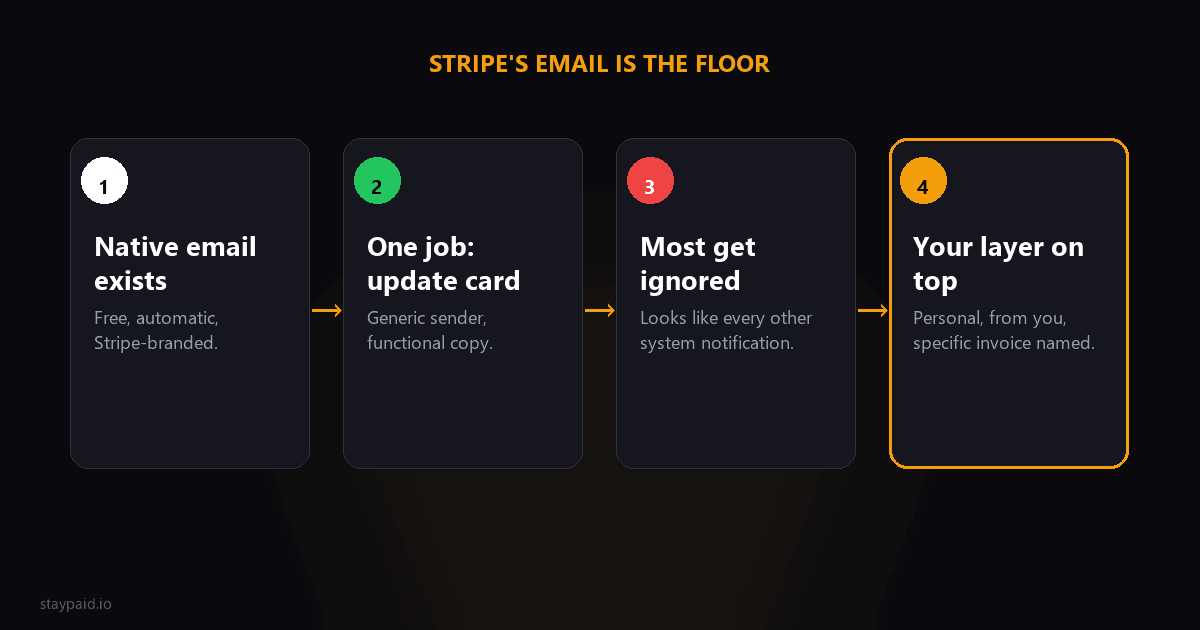
Keep Stripe's native emails on as a floor. They're free, they catch the easy recoveries, and turning them off gains you nothing. Then add your own layer on top for the customers the generic email doesn't move:
- •A personal-sounding first email from your address within hours of the failure, not days.
- •A cadence that matches the failure type. Expired card: quick and casual. Insufficient funds: timed around payday.
- •A final email before any access change, written like a human giving a heads-up, because it is one.
That top layer is where the recovery rate actually moves. One short email from you, referencing the specific invoice, sent a day or two after the first failure. Not a sequence of seven escalating threats, just a human checking in. Our dunning email templates post has the exact wording, and the no-reply rant explains why the sender line matters more than the subject line.
One config detail people miss: what Stripe does when retries exhaust. In the same settings page you choose between canceling the subscription, marking it unpaid, or leaving it past due. That choice decides whether a failed payment becomes churn automatically or waits for you. For a small SaaS, leaving it past due and handling it yourself is almost always right, because an automatic cancel fires customer.subscription.deleted and the recovery conversation gets much harder from there.
That top layer is exactly what StayPaid automates: Stripe watches the payments, you approve the words, the emails go out from your address. But whether you use us or glue it together yourself, the principle stands. Stripe's email is the floor, not the ceiling.
"Stripe's failed payment email recovers the customers who were already going to pay you. Everything past that is on your sender line."
FAQ
Does Stripe send failed payment emails automatically?
Yes, if you enable them. Go to Settings, then Billing, then Subscriptions and emails, and turn on the failed payment email. Stripe then emails the customer after each failed payment.
Can you customize Stripe's failed payment emails?
Only lightly. You can adjust branding basics, but the copy is fixed and the email comes from Stripe, not from your own address or domain.
Why do Stripe's failed payment emails get ignored?
They come from Stripe's address with Stripe's branding and generic copy. Customers skim past them because nothing about the email looks like it came from a product they actually use.
Are Stripe's dunning emails enough for a small SaaS?
They're better than nothing and catch the customers who were going to fix it anyway. For everyone else, a personal-sounding email from your own address recovers noticeably more.
Keep reading
Robert
Founder at StayPaid
Want to recover failed payments like a founder?
Start Free — First 3 recoveries